Shop
Shop
-
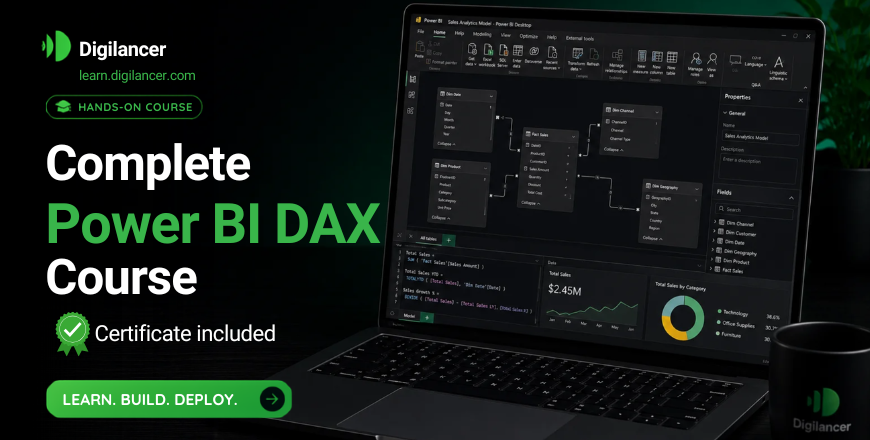
Mastering Power BI – Data Modelling & DAX
Original price was: $24.99.$9.99Current price is: $9.99.Data has become one of the most valuable assets for modern organizations, and the ability to transform raw data into actionable insights is a highly sought-after skill. Mastering Power BI – Data Modelling & DAX is a comprehensive course designed to help learners develop the practical knowledge required to build efficient data models, prepare high-quality datasets, and create powerful analytical solutions using Microsoft Power BI. The course begins with an introduction to Power BI and its role in modern business intelligence. Learners will explore how organizations use Power BI to analyze data, monitor key performance indicators, and support data-driven decision-making. The course also introduces the Power BI environment, including data source connectivity, the Data Model interface, and the Query Editor, providing a strong foundation for working with business data. A significant portion of the course focuses on data preparation using Power Query Editor. Learners will gain hands-on knowledge of data cleaning techniques, including analyzing data quality, managing rows and columns, applying transformations, and restructuring datasets using Pivot and Unpivot operations. These skills are essential for converting raw, unorganized data into structured datasets ready for analysis and reporting. The course then dives deep into data modeling concepts, teaching learners how to create effective relationships between tables and design scalable data architectures. Topics such as Fact and Dimension tables, star schema design, relationship management, cardinality types, and filter directions are covered in detail. Learners will understand how properly designed data models improve report accuracy, performance, and maintainability. In addition, the course introduces two critical languages used in Power BI development: M Language and DAX (Data Analysis Expressions). Learners will understand how M Language powers data transformation processes within Power Query, while DAX enables the creation of advanced calculations, measures, and business metrics. These skills allow users to move beyond basic reporting and build dynamic, interactive analytical solutions. Throughout the course, learners will develop a strong understanding of how data flows from source systems into Power BI, how it is transformed and modeled, and how advanced calculations can be used to generate meaningful business insights. The practical focus ensures that learners gain real-world skills applicable to business intelligence, reporting, analytics, and dashboard development projects. Whether you are a business analyst, data analyst, reporting professional, or someone looking to start a career in business intelligence, this course provides the essential knowledge needed to work confidently with Power BI’s data preparation, modeling, and analytical capabilities. What You Will Learn Understand the Power BI ecosystem and business intelligence concepts Connect Power BI to multiple data sources Use Power Query Editor for data cleaning and preparation Analyze and improve data quality Apply row and column transformations Use Pivot and Unpivot operations effectively Create Fact and Dimension tables Design efficient star schema data models Build and manage table relationships Understand cardinality types and filter directions Optimize Power BI data models for performance Learn the fundamentals of M Language Create calculations using DAX Build measures, calculated columns, and calculated tables Develop scalable and efficient business intelligence solutions Key Topics Covered Power BI Fundamentals Introduction to Power BI Business Intelligence concepts Data source connectivity Power BI interface and tools Data Preparation with Power Query Data quality assessment Row and column management Data transformation techniques Pivot and Unpivot operations Query Editor fundamentals Data Modeling Relationships and relationship management Fact and Dimension tables Star schema design Cardinality types Filter directions Model optimization techniques Advanced Power BI Development Introduction to M Language Data transformation scripting DAX fundamentals Measures and calculated columns Business calculations and analytics Who Should Take This Course? This course is ideal for: Aspiring Data Analysts Business Intelligence Professionals Power BI Beginners Reporting and Dashboard Developers Business Analysts Data Professionals looking to improve modeling skills Students interested in data analytics and visualization Basic knowledge of Excel and data concepts is helpful but not mandatory. Learning Outcomes By the end of this course, learners will be able to: Import and prepare data from multiple sources Clean and transform datasets using Power Query Build efficient and scalable data models Create and manage relationships between tables Understand and apply dimensional modeling concepts Optimize Power BI models for better performance Write and understand basic M Language scripts Create powerful DAX measures and calculations Develop interactive reports and analytical dashboards Apply Power BI best practices in real-world business scenarios Final Outcome Upon completing this course, learners will possess the practical skills required to prepare, model, and analyze data using Power BI. They will be able to build professional-grade data models, create meaningful business calculations with DAX, optimize report performance, and develop data-driven solutions that support effective decision-making in modern organizations. This course provides a strong foundation for advanced Power BI development and a successful career in business intelligence and analytics.View course -
Microsoft Excel Course 2025
Original price was: $44.99.$14.99Current price is: $14.99.Introduction A Microsoft Excel Course is designed to teach users how to efficiently use Excel for data management, analysis, and visualization. The course typically covers a range of topics, from basic to advanced functions, catering to beginners, intermediate users, and professionals. Course Description This Microsoft Excel Course provides hands-on training to help learners master spreadsheet creation, data organization, and complex calculations using Excel. Whether you’re a beginner looking to learn the basics or an advanced user aiming to enhance your skills, this course will equip you with essential Excel techniques. Key Learning Areas: Introduction to Excel: Understanding the interface, navigation, and essential functionsData Entry & Formatting: Organizing data, using tables, applying styles, and conditional formattingFormulas & Functions: Basic arithmetic formulas, logical functions (IF, AND, OR), lookup functions (VLOOKUP, HLOOKUP, XLOOKUP)Data Analysis: Sorting, filtering, pivot tables, charts, and graphsAdvanced Excel Tools: Macros, Power Query, Power Pivot, and automation techniquesCollaboration & Security: Protecting workbooks, sharing files, and working with cloud-based Excel Who Should Enroll? Students, professionals, and business ownersAnyone who wants to improve their data management and analytical skillsIndividuals preparing for jobs that require Excel proficiency Course Benefits: Enhance productivity with time-saving Excel techniquesImprove data analysis and decision-making skillsGain a competitive edge in the job marketAdd to cart -

Microsoft Excel Course 2025
FreeIntroduction A Microsoft Excel Course is designed to teach users how to efficiently use Excel for data management, analysis, and visualization. The course typically covers a range of topics, from basic to advanced functions, catering to beginners, intermediate users, and professionals. Course Description This Microsoft Excel Course provides hands-on training to help learners master spreadsheet creation, data organization, and complex calculations using Excel. Whether you’re a beginner looking to learn the basics or an advanced user aiming to enhance your skills, this course will equip you with essential Excel techniques. Key Learning Areas: Introduction to Excel: Understanding the interface, navigation, and essential functionsData Entry & Formatting: Organizing data, using tables, applying styles, and conditional formattingFormulas & Functions: Basic arithmetic formulas, logical functions (IF, AND, OR), lookup functions (VLOOKUP, HLOOKUP, XLOOKUP)Data Analysis: Sorting, filtering, pivot tables, charts, and graphsAdvanced Excel Tools: Macros, Power Query, Power Pivot, and automation techniquesCollaboration & Security: Protecting workbooks, sharing files, and working with cloud-based Excel Who Should Enroll? Students, professionals, and business ownersAnyone who wants to improve their data management and analytical skillsIndividuals preparing for jobs that require Excel proficiency Course Benefits: Enhance productivity with time-saving Excel techniquesImprove data analysis and decision-making skillsGain a competitive edge in the job marketView course -
Microsoft Office Professional Training
Original price was: $14.99.$4.99Current price is: $4.99.Microsoft Office Professional Training: Course Description Course Overview: Microsoft Office Professional Training is designed to equip individuals with the knowledge and skills required to efficiently use the core applications of the Microsoft Office suite—Word, Excel, PowerPoint, Outlook, Access, OneNote, Teams, Publisher, and Visio. This training is ideal for professionals, students, and anyone looking to improve their productivity and mastery of the Microsoft Office tools that are widely used in the workplace, education, and beyond. Course Objectives: By the end of the course, participants will be proficient in creating, formatting, and managing documents, spreadsheets, presentations, and databases. They will also be able to collaborate seamlessly using Microsoft Office apps, utilize advanced features for data analysis, and automate tasks, making them more efficient and effective in their day-to-day tasks. The course also provides an understanding of the cloud integration with Office 365, ensuring students can work from anywhere and collaborate in real time. Target Audience: Professionals: Those looking to enhance their skills to improve job performance. Students: Individuals who want to gain a competitive edge in their studies and future careers. Small Business Owners: Entrepreneurs looking to streamline their operations using Microsoft Office tools. Anyone Interested in Office Productivity Tools: From beginners to advanced users who want to master Office software. Course Content: 1. Microsoft Word Introduction: Learn the fundamentals of Word, such as creating, editing, and formatting documents. Advanced Features: Master styles, templates, and collaboration tools like comments and track changes. Inserting Media: Incorporate images, charts, and tables to enhance document quality. Mail Merge: Automate the process of sending personalized letters, labels, and emails. 2. Microsoft Excel Basic Excel Skills: Learn how to create and format spreadsheets, enter data, and use basic formulas. Advanced Functions: Master advanced formulas like VLOOKUP, IF, INDEX, and MATCH to manipulate data. Data Visualization: Create a variety of charts and graphs to present data effectively. Data Analysis: Understand how to use pivot tables, sorting, and filtering tools to analyze large datasets. Automation with Macros: Introduction to using macros for automating repetitive tasks. 3. Microsoft PowerPoint Basic Presentations: Learn how to create and format slides, use themes, and organize content for a compelling presentation. Design & Animation: Discover how to use design principles, custom animations, and slide transitions to make your presentations engaging. Multimedia Integration: Incorporate videos, images, and audio to enhance your presentation. Presenting: Gain tips and best practices for delivering effective presentations. 4. Microsoft Outlook Email Management: Learn how to send, receive, organize, and manage emails efficiently. Scheduling & Calendar: Understand how to use the calendar for scheduling meetings, setting reminders, and managing tasks. Collaboration Features: Learn how to share calendars and contacts with colleagues for smoother team coordination. Email Security: Familiarize yourself with email safety features such as encryption and spam filters. 5. Microsoft Access Database Design: Learn the basics of creating and managing relational databases. Querying: Use SQL queries to extract meaningful data from databases. Forms & Reports: Create custom forms for data entry and generate reports for analysis and presentation. Automating with Macros: Introduction to using macros for simplifying database tasks. 6. Microsoft OneNote Note-Taking: Master the art of taking organized, multimedia-rich notes using OneNote’s flexible notebook structure. Collaboration: Collaborate with colleagues and classmates by sharing and editing notes in real-time. Search & Organization: Use tags and powerful search functions to find information quickly. 7. Microsoft Teams Team Collaboration: Learn to use Teams for real-time chat, video meetings, and file sharing within teams or with external partners. Channels & Teams: Organize conversations and files by topic or project. Task Management: Use the integrated planner and to-do features to assign tasks and keep projects on track. 8. Microsoft Publisher Desktop Publishing: Learn to create professional-quality publications like brochures, newsletters, and posters. Templates: Explore a range of pre-built templates for various publication types. Design Fundamentals: Master page layout, typography, and inserting images and graphics. 9. Microsoft Visio Creating Diagrams: Learn to create flowcharts, organizational charts, network diagrams, and other types of visual representations. Customizing Shapes: Use Visio’s rich set of customizable shapes to build diagrams that meet your needs. Collaborating: Share diagrams with others and work on them collaboratively. Course Delivery: This course can be delivered through various modes, including: In-person: Classroom-based training for hands-on learning. Online: Virtual instructor-led training or self-paced online modules. Hybrid: A combination of both online and in-person learning options. Duration: Typically, Microsoft Office Professional Training can range from a few days (intensive workshops) to several weeks, depending on the depth of the course. Certification: Upon completion, participants may receive a certification of proficiency or completion from the training provider, which can be used to demonstrate their expertise in Microsoft Office tools to potential employers. Benefits of the Course: Increased Productivity: Learn time-saving features that improve workflow and efficiency. Advanced Skillset: Gain mastery over advanced tools and functions, giving you a competitive edge in the job market. Collaboration: Learn how to collaborate more effectively with colleagues and teams using cloud-based tools and sharing features. Practical Application: Hands-on training in real-world scenarios ensures that you can apply your skills immediately. Whether you’re a beginner just starting or an experienced user looking to deepen your knowledge, Microsoft Office Professional Training provides the tools and expertise to help you excel in your professional or academic endeavors.View course -

Microsoft Office Professional Training
$9.99Microsoft Office Professional Training: Course Description Course Overview: Microsoft Office Professional Training is designed to equip individuals with the knowledge and skills required to efficiently use the core applications of the Microsoft Office suite—Word, Excel, PowerPoint, Outlook, Access, OneNote, Teams, Publisher, and Visio. This training is ideal for professionals, students, and anyone looking to improve their productivity and mastery of the Microsoft Office tools that are widely used in the workplace, education, and beyond. Course Objectives: By the end of the course, participants will be proficient in creating, formatting, and managing documents, spreadsheets, presentations, and databases. They will also be able to collaborate seamlessly using Microsoft Office apps, utilize advanced features for data analysis, and automate tasks, making them more efficient and effective in their day-to-day tasks. The course also provides an understanding of the cloud integration with Office 365, ensuring students can work from anywhere and collaborate in real time. Target Audience: Professionals: Those looking to enhance their skills to improve job performance. Students: Individuals who want to gain a competitive edge in their studies and future careers. Small Business Owners: Entrepreneurs looking to streamline their operations using Microsoft Office tools. Anyone Interested in Office Productivity Tools: From beginners to advanced users who want to master Office software. Course Content: 1. Microsoft Word Introduction: Learn the fundamentals of Word, such as creating, editing, and formatting documents. Advanced Features: Master styles, templates, and collaboration tools like comments and track changes. Inserting Media: Incorporate images, charts, and tables to enhance document quality. Mail Merge: Automate the process of sending personalized letters, labels, and emails. 2. Microsoft Excel Basic Excel Skills: Learn how to create and format spreadsheets, enter data, and use basic formulas. Advanced Functions: Master advanced formulas like VLOOKUP, IF, INDEX, and MATCH to manipulate data. Data Visualization: Create a variety of charts and graphs to present data effectively. Data Analysis: Understand how to use pivot tables, sorting, and filtering tools to analyze large datasets. Automation with Macros: Introduction to using macros for automating repetitive tasks. 3. Microsoft PowerPoint Basic Presentations: Learn how to create and format slides, use themes, and organize content for a compelling presentation. Design & Animation: Discover how to use design principles, custom animations, and slide transitions to make your presentations engaging. Multimedia Integration: Incorporate videos, images, and audio to enhance your presentation. Presenting: Gain tips and best practices for delivering effective presentations. 4. Microsoft Outlook Email Management: Learn how to send, receive, organize, and manage emails efficiently. Scheduling & Calendar: Understand how to use the calendar for scheduling meetings, setting reminders, and managing tasks. Collaboration Features: Learn how to share calendars and contacts with colleagues for smoother team coordination. Email Security: Familiarize yourself with email safety features such as encryption and spam filters. 5. Microsoft Access Database Design: Learn the basics of creating and managing relational databases. Querying: Use SQL queries to extract meaningful data from databases. Forms & Reports: Create custom forms for data entry and generate reports for analysis and presentation. Automating with Macros: Introduction to using macros for simplifying database tasks. 6. Microsoft OneNote Note-Taking: Master the art of taking organized, multimedia-rich notes using OneNote’s flexible notebook structure. Collaboration: Collaborate with colleagues and classmates by sharing and editing notes in real-time. Search & Organization: Use tags and powerful search functions to find information quickly. 7. Microsoft Teams Team Collaboration: Learn to use Teams for real-time chat, video meetings, and file sharing within teams or with external partners. Channels & Teams: Organize conversations and files by topic or project. Task Management: Use the integrated planner and to-do features to assign tasks and keep projects on track. 8. Microsoft Publisher Desktop Publishing: Learn to create professional-quality publications like brochures, newsletters, and posters. Templates: Explore a range of pre-built templates for various publication types. Design Fundamentals: Master page layout, typography, and inserting images and graphics. 9. Microsoft Visio Creating Diagrams: Learn to create flowcharts, organizational charts, network diagrams, and other types of visual representations. Customizing Shapes: Use Visio’s rich set of customizable shapes to build diagrams that meet your needs. Collaborating: Share diagrams with others and work on them collaboratively. Course Delivery: This course can be delivered through various modes, including: In-person: Classroom-based training for hands-on learning. Online: Virtual instructor-led training or self-paced online modules. Hybrid: A combination of both online and in-person learning options. Duration: Typically, Microsoft Office Professional Training can range from a few days (intensive workshops) to several weeks, depending on the depth of the course. Certification: Upon completion, participants may receive a certification of proficiency or completion from the training provider, which can be used to demonstrate their expertise in Microsoft Office tools to potential employers. Benefits of the Course: Increased Productivity: Learn time-saving features that improve workflow and efficiency. Advanced Skillset: Gain mastery over advanced tools and functions, giving you a competitive edge in the job market. Collaboration: Learn how to collaborate more effectively with colleagues and teams using cloud-based tools and sharing features. Practical Application: Hands-on training in real-world scenarios ensures that you can apply your skills immediately. Whether you’re a beginner just starting or an experienced user looking to deepen your knowledge, Microsoft Office Professional Training provides the tools and expertise to help you excel in your professional or academic endeavors.Add to cart -
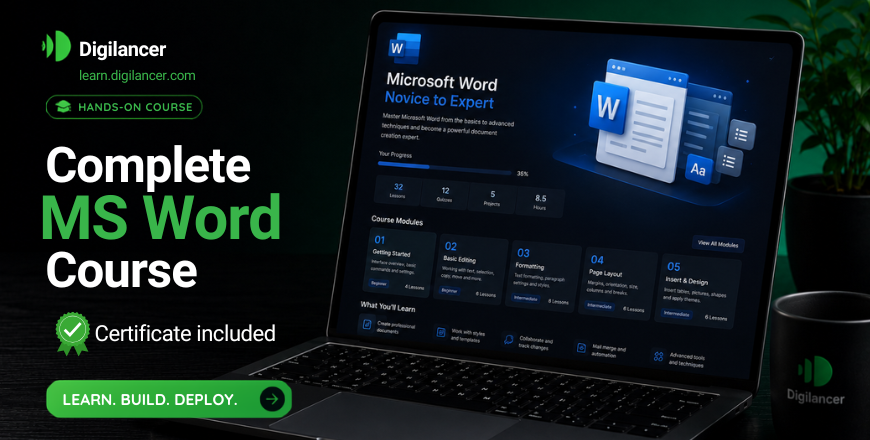
MS Word for Novice to Expert
FreeThe “MS Word for Novice to Expert” course is designed to take learners from the basics of Microsoft Word all the way to advanced techniques and functionalities. Whether you are a beginner who has never used Word or an intermediate user looking to enhance your skills, this course will guide you step-by-step through the full range of features offered by MS Word. Course Outline: Introduction to MS Word Understanding the Word interface Navigating the Ribbon, tabs, and menus Basic document creation, saving, and formatting Basic Editing Skills Text selection, insertion, and formatting Working with fonts, paragraph settings, and line spacing Using spelling and grammar tools Document Formatting Using styles and themes Creating and managing headers, footers, and page numbers Inserting and editing tables, images, and shapes Advanced Features Mastering advanced formatting like sections and columns Inserting and managing references: footnotes, endnotes, and citations Creating and using templates Working with Long Documents Inserting and managing tables of contents Bookmarking, cross-referencing, and hyperlinks Indexing and working with large files Collaboration Tools Tracking changes and comments Protecting documents with passwords Sharing and collaborating online with OneDrive and Teams Mail Merge & Automation Performing mail merges for letters, envelopes, and labels Using macros to automate repetitive tasks Final Projects & Certification Completing a final project that demonstrates the skills learned Earning a certification of completion By the end of the course, participants will have a deep understanding of Microsoft Word and will be able to use it for a wide range of tasks, from simple document creation to complex document formatting and automation.View course -
MS Word for Novice to Expert
Original price was: $19.99.$9.99Current price is: $9.99.The “MS Word for Novice to Expert” course is designed to take learners from the basics of Microsoft Word all the way to advanced techniques and functionalities. Whether you are a beginner who has never used Word or an intermediate user looking to enhance your skills, this course will guide you step-by-step through the full range of features offered by MS Word. Course Outline: Introduction to MS Word Understanding the Word interface Navigating the Ribbon, tabs, and menus Basic document creation, saving, and formatting Basic Editing Skills Text selection, insertion, and formatting Working with fonts, paragraph settings, and line spacing Using spelling and grammar tools Document Formatting Using styles and themes Creating and managing headers, footers, and page numbers Inserting and editing tables, images, and shapes Advanced Features Mastering advanced formatting like sections and columns Inserting and managing references: footnotes, endnotes, and citations Creating and using templates Working with Long Documents Inserting and managing tables of contents Bookmarking, cross-referencing, and hyperlinks Indexing and working with large files Collaboration Tools Tracking changes and comments Protecting documents with passwords Sharing and collaborating online with OneDrive and Teams Mail Merge & Automation Performing mail merges for letters, envelopes, and labels Using macros to automate repetitive tasks Final Projects & Certification Completing a final project that demonstrates the skills learned Earning a certification of completion By the end of the course, participants will have a deep understanding of Microsoft Word and will be able to use it for a wide range of tasks, from simple document creation to complex document formatting and automation.Add to cart -
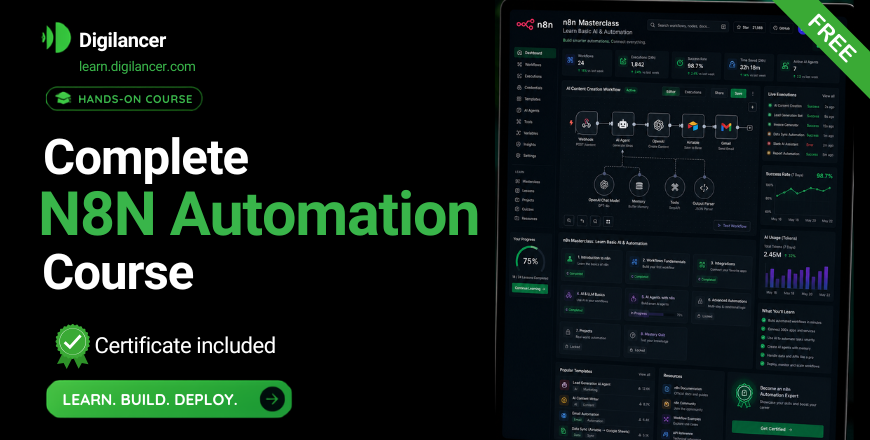
N8N Masterclass Learn Basic AI & Automation using N8N
FreeN8N Masterclass: Learn Basic AI & Automation using N8N Step into the world of intelligent workflow automation with N8N Masterclass: Learn Basic AI & Automation using N8N. This beginner-friendly course is designed to help you understand the fundamentals of n8n, one of the most powerful open-source workflow automation platforms, and learn how to build practical AI-powered automation solutions with minimal coding. Throughout the course, you’ll explore the core concepts of workflow automation, learn how triggers and nodes work together, and build real-world projects that automate everyday business tasks. Starting with an introduction to the n8n platform, you’ll gradually progress to creating a booking agent, automating email workflows using Schedule Trigger and HTTP Request nodes, building a WhatsApp automation agent, integrating Google Sheets for seamless data management, and generating automated weekly subscriber reports. Each lesson focuses on hands-on implementation, allowing you to gain practical experience while learning how to connect applications, process data, interact with APIs, and automate repetitive tasks. You’ll discover how businesses use n8n to improve productivity, streamline communication, reduce manual work, and build intelligent workflows that save both time and resources. By the end of this course, you’ll have the confidence to design, build, and deploy your own automation workflows using n8n. Whether you’re a beginner exploring automation for the first time, a developer looking to simplify workflows, or a business professional aiming to increase operational efficiency, this course provides the essential knowledge and practical skills needed to start your automation journey. What You’ll Learn Understand the fundamentals of n8n and workflow automation. Navigate the n8n interface and build automated workflows. Create an automated booking agent for real-world scenarios. Use Schedule Trigger and HTTP Request nodes to automate recurring tasks. Build a WhatsApp automation agent for customer communication. Integrate Google Sheets with n8n for automated data management. Generate and deliver automated weekly subscriber reports. Connect external services using APIs and workflow integrations. Apply workflow automation to business and productivity tasks. Follow best practices for designing reliable and scalable automation workflows. Target Audience Beginners interested in workflow automation. Developers looking to automate repetitive processes. Business professionals seeking productivity improvements. Freelancers and consultants building automation solutions. AI enthusiasts exploring practical automation tools. Anyone interested in learning n8n from scratch through real-world projects. Prerequisites No prior experience with n8n is required. Basic computer and internet navigation skills. A willingness to learn workflow automation through hands-on practice. An n8n account or local installation to follow along with the exercises.View course -
Natural Language Processing: From Basics to Applications
Original price was: $14.99.$5.99Current price is: $5.99.Natural Language Processing: From Basics to Applications is a comprehensive course designed to introduce learners to the exciting field of Natural Language Processing (NLP), a branch of Artificial Intelligence (AI) that enables computers to understand, interpret, analyze, and generate human language. The course takes a practical and structured approach, guiding learners from fundamental NLP concepts to real-world applications used in modern AI systems. Throughout the course, learners explore how machines process text and speech data, understand linguistic structures, and extract meaningful information from unstructured text. The course begins with the foundations of NLP, including language processing challenges, text representation techniques, and the NLP workflow. Students then learn essential text preprocessing methods such as tokenization, text normalization, stop-word removal, stemming, lemmatization, Part-of-Speech (POS) tagging, and grammar parsing. The course provides hands-on experience with popular Python-based NLP libraries such as NLTK, enabling learners to implement preprocessing pipelines and perform language analysis on real-world datasets. As learners progress, they discover how text can be transformed into machine-readable formats using feature extraction techniques and vectorization methods. Advanced topics introduce learners to text classification, sentiment analysis, information extraction, named entity recognition (NER), topic modeling, machine translation, chatbot development, and language generation. The course also explores how machine learning and AI techniques are applied to solve language-related problems across various industries. Practical exercises, coding demonstrations, and real-world case studies help learners understand how NLP powers applications such as virtual assistants, recommendation systems, search engines, social media monitoring, customer support automation, spam detection, and business intelligence solutions. The course emphasizes both theoretical understanding and implementation skills, ensuring learners can confidently apply NLP techniques in real projects. By the end of the course, learners will have a strong foundation in Natural Language Processing, understand the complete NLP pipeline, and possess the practical skills required to build intelligent language-processing applications using Python and modern NLP tools. What You Will Learn Fundamentals of Natural Language Processing (NLP) Understanding human language and linguistic structures Text preprocessing and data cleaning techniques Tokenization and text normalization Stop-word removal, stemming, and lemmatization Part-of-Speech (POS) tagging Grammar parsing and syntactic analysis Implementing NLP tasks using NLTK Feature extraction and text representation Text classification techniques Sentiment analysis and opinion mining Named Entity Recognition (NER) Information extraction methods Topic modeling and document analysis Chatbot and conversational AI fundamentals Real-world NLP applications and case studies Who Should Take This Course? Beginners interested in Artificial Intelligence Students learning NLP and Machine Learning Data Science enthusiasts Machine Learning Engineers AI Developers Data Analysts Python Programmers Researchers working with textual data Professionals interested in text analytics Anyone interested in building intelligent language-based applications Prerequisites Basic understanding of Python programming Familiarity with programming concepts Basic knowledge of Machine Learning (helpful but not required) Interest in Artificial Intelligence and language technologies Course Outcome Upon completing this course, learners will be able to process and analyze textual data, implement NLP techniques using Python and NLTK, build text-processing pipelines, perform sentiment analysis and text classification, and apply Natural Language Processing techniques to solve real-world problems. They will gain the foundational knowledge needed to pursue advanced studies in AI, Machine Learning, Conversational AI, and Language Technologies.View course